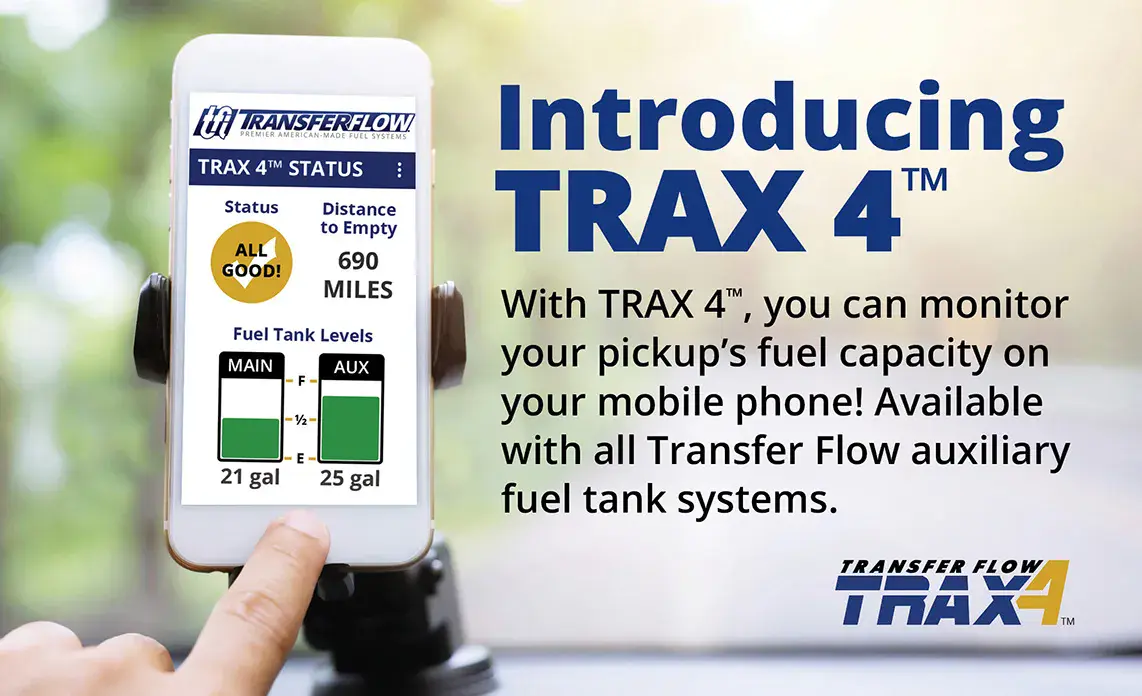
With Transfer Flow's TRAX 4™ mobile app, you'll always know how much on-board fuel you have!
Transfer Flow introduces the next generation of our auxiliary fuel tank operating system. TRAX 4™ is a computer-controlled, fuel management system that transfers fuel from a Transfer Flow auxiliary fuel tank to a pickup's main fuel tank. TRAX 4™ comes with our auxiliary fuel tank systems, including our auxiliary tank and tool box combos. Based on the capacity of a pickup's main fuel tank and the capacity of the Transfer Flow auxiliary fuel tank, the TRAX 4™ system will transfer fuel at pre-determined levels while the vehicle is in operation.
Want to know the status of your on-board fuel systems? Simply download the TRAX 4™ app to your smartphone and enter your vehicle and fuel system information. In no time, you'll be able to monitor your pickup's fuel capacity! During fuel transfer, the message “PUMP ON” will be displayed. You also have the option of displaying either the gallons or the percentage of fuel in each tank. The app is available for Apple IOS and Android.
If you prefer not to use our TRAX 4™ app with your auxiliary tank but still want to know how much fuel you have, Transfer Flow offers an in-cab fuel level monitor LCD. The LCD shows the fuel level of the auxiliary tank with an easy-to-read bar graph that decreases when fuel is transferred to the pickup's main fuel tank. This item is sold separately.
TRAX 4™ App Download
Android
Apple IOS
TRAX 4™ App Setup Video Instructions
Android
Apple IOS
TRAX 4™ User's Guide
Click to download a copy of the TRAX 4™ User's Guide.
TRAX 4™ Frequently Asked Questions
How accurate is my main tank fuel gauge after installing TRAX 4™?
The accuracy of the main fuel gauge will not change.
I previously bought a Transfer Flow auxiliary tank. Can I transfer it to my new truck?
Compatibility depends on the vehicle you’re purchasing. TRAX 4™ systems are designed for 2010 and newer Ford, GM, and RAM trucks. For the most accurate information, visit TransferFlow.com and use the “Find the Perfect Fuel Tank” search tool to check compatibility with your new vehicle. In some cases, a reinstallation kit may be required. For personalized guidance, give our fuel system experts a call at (800) 442-0056.
Why do I see my fuel level percentage fluctuate ±10% in the first two minutes of operation?
The module is rapidly calculating the fuel level in each tank to determine the most accurate value. Fluctuations should slow after a few minutes of operation.
Why is “ERROR” displaying when my system is brand new or the filter is clean?
This may be due to an individual’s driving habits, driving conditions, or fuel sloshing in the main or auxiliary tank. The “ERROR” condition will reset after 40 minutes or by cycling the ignition (turning it off then on again).
The fuel levels displayed on the mobile app change when cornering hard or during other rapid motions. Is this normal?
Yes, your Transfer Flow fuel tank system has been designed to keep fuel sloshing to a minimum. However, it is not possible to completely eliminate all fuel sloshing. Many times, you will find that fuel sloshing will be greater in the main tank compared to the Transfer Flow tank. This is because the Transfer Flow tank is fully baffled while most main tanks are not. In either case, you should not see a fuel level change of more than ±10%, except under periods of high cornering, braking, or acceleration loads. If your main tank is close to empty, you may see your vehicle’s low fuel light turn On and Off.
If the TRAX 4™ system develops a problem, what do I do?
Consult the troubleshooting table on Page 11 or deactivate the system by disconnecting the power to the computer module, located near the OBDII connector/port. Reference the “TRAX 4™ Computer Module Overview” diagram on Page 8 of our TRAX 4™ User's Guide; disconnect the red OBDII connector that goes to the Transfer Flow wire harness. The vehicle will now operate from the main tank only. Please call Technical Support at (800) 442-0056 x2 or (530) 893-5209 x2 if you ever have this issue.
Why is TRAX 4 and Optional LCD not functioning after installation?
Initially, the vehicle must be in motion for the optional TRAX 4™ display to turn on and for the pump, if needed, to begin the fuel transfer routine.